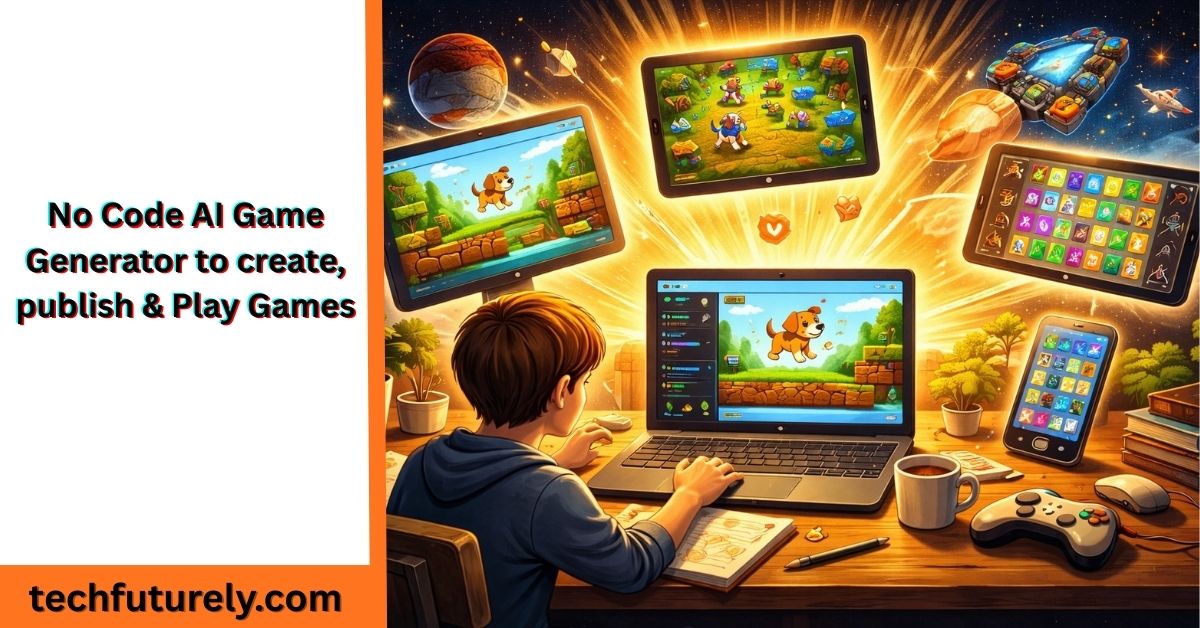
Most people who want to make a game never do. Not because the idea isn’t good, but because the path from idea to playable game has always required learning to code, buying software, or paying someone else to build it for you. Those barriers kept game-making locked behind technical skills that most people simply don’t have.
No-code AI game generators have made it possible for anyone, a student, a teacher, a complete beginner, to go from a game idea to something playable, shareable, and publishable without touching code at all. You describe what you want, the tool builds it, and you play it.
This guide will help you understand how these tools actually work, how to use them to create a game from scratch, what publishing your game looks like, and how to make your game good enough that other people actually want to play it.
What a No-Code AI Game Generator Is (and What It Isn’t)
A no-code AI game generator is a tool that takes your written description of a game and converts it into a working, playable game. You are not clicking through a complicated editor with hundreds of settings. You are not dragging sprites onto a canvas or writing logic in a programming language. You’re writing sentences, describing what you want, and the tool handles everything else.
Astrocade is genuinely different from older no-code game tools that still required you to understand concepts like variables, collision detection, or event triggers. With AI-driven tools, the system interprets your intent and makes those decisions for you.
What it isn’t, though, is a magic box that produces professional-quality games with no effort. The output quality depends heavily on how clearly you describe what you want. The tools work best for focused, simple to medium complexity games. And the process is collaborative, you describe, it builds, you give feedback, it adjusts. That loop is where the real work happens.
Understanding both sides of this sets realistic expectations and helps you get better results from the start.
The Types of Games You Can Actually Build Without Code
Before you start, it helps to know what’s within reach. Knowing the possibilities stops you from aiming too high on your first attempt and getting discouraged, and it also stops you from thinking the tools are more limited than they are.
- Arcade-style games are among the easiest to build. Things like catching falling objects, dodging obstacles, shooting targets, or collecting items. These games have clear mechanics and simple rules, which makes them easy to describe and easy for the tool to generate correctly. Play Echelon TD, a simple arcade-style game that focuses on dodging enemies and collecting points as you play.
- Platformers, where a character jumps between platforms to reach a goal, are very buildable. They require a bit more precision in your description; you need to be clear about how jumping works, where the platforms are, and what the win condition is, but they’re a common output from these tools.
- Puzzle games like sliding tiles, matching patterns, or solving logic challenges work well because the rules are self-contained and specific. A well-described puzzle game often comes out clean on the first or second attempt.
- Text adventure and choice-based games are among the most reliable outputs. Since they don’t require any physics, animation, or complex visuals, the tool can focus entirely on the story and decision structure. These are ideal first projects.
- Quiz and trivia games are fast to build and work well for educational purposes. Describe your topic, how many questions, how scoring works, and whether there’s a timer, and you can have a working quiz game in minutes.
- Clicker and idle games, where you click something to earn points and spend them on upgrades, are simple mechanically and produce surprisingly satisfying results with a good description.
What’s harder or outside what most free tools handle well: real-time multiplayer games, large open-world games, games that need custom 3D graphics, or anything requiring a persistent account system? These either need paid tools, technical expertise, or both.
How to Write a Description That Gets the Game You Want
The most important skill in using a no-code AI game generator is writing a clear description. This is where most people run into trouble, and it’s entirely fixable once you understand what information the tool needs.
Think of it like giving directions. If you say “take me somewhere nice,” you’ll get something random. If you say “Take me to a quiet park within ten minutes from here,” you’ll get what you actually want. Describing a game works the same way.
A useful description covers five things: the game type, the player character, the goal, the challenge, and the setting.
Here’s a weak description: “Make a game about a wizard.”
Here’s a strong one: “Make a top-down game where a wizard walks through a dungeon collecting magic crystals. The dungeon has walls the wizard can’t walk through. Monsters patrol the corridors and end the game if they touch the wizard. Collecting all ten crystals on a level takes the player to the next level. There are three levels total.”
The second description gives the tool a game type (top-down), a character (wizard), a goal (collect crystals), a challenge (monsters), a structure (three levels), and a success condition (all crystals collected). That’s a buildable game.
When writing your prompt, also include: what happens when the player wins, what happens when the player loses, how the player controls the character, and any specific rules about how the mechanics work. The more of these details you include upfront, the less back-and-forth you’ll need later.
Building Your AI Game using this Step-by-Step Process
Once you have your description ready, the actual building process follows a predictable pattern.
- Step1: Start with your full description.
Put everything you’ve thought through into your first prompt. Don’t start vague and plan to add things later; starting with more detail produces a better foundation.
- Step two: Play the first version completely.
When the tool generates your game, don’t just glance at it. Play through the whole thing. Hit the win condition if there is one. Die on purpose. Test edge cases, what happens if you stay still, go to a corner, do the opposite of what you’re supposed to do. Take notes as you go.
- Step three: Give specific, one-thing-at-a-time feedback.
Pick the most important problem and describe it clearly. “The character moves too quickly to control precisely. Please cut the movement speed in half” is a good correction. “Everything feels wrong, fix it” gives the tool nothing to work with.
- Step four: Repeat until the core mechanics feel right.
Don’t start adding extras, music, levels, and special effects until the basic game plays correctly. A broken foundation with decorations on top is still broken.
- Step five: Add detail and polish.
Once the mechanics work, describe the things that make the game feel finished. A start screen. A game-over message. A score counter. Some indication of level progression. These small additions make a huge difference in how complete your game feels.
What Publishing Your Game Actually Looks Like
Getting your game in front of other people is one of the most motivating parts of this process, and most no-code tools make it accessible. Here’s what you can generally expect.
- Browser-based links are the most common publishing option. The tool generates a link that anyone can open in a browser to play your game. No download required, works on most devices. This is the simplest way to share.
- Embed codes let you put your game on a website or blog. If you have a site, you copy a short piece of code provided by the tool and paste it into your page. Your game then appears and plays directly on your site.
- Downloadable files give you the actual game files to host yourself or share as a download. This is more flexible but requires somewhere to host them, like a personal website or file hosting service.
- Dedicated game hosting platforms accept game submissions and give your game its own page with a built-in audience. Some AI game tools, like Astrocade, make the upload process straightforward and you can directly create and publish a game on it.
Before publishing, do these three things: test your game on a different device (what works on your computer might behave differently on a phone or different browser), ask one other person to play it and watch where they get confused, and make sure your game has a clear start and end so players know what they’re doing.
What Separates a Good Game from a Forgettable One
Building a game that technically works and building one that people actually enjoy are two different things. A few specific choices make a significant difference.
The first ten seconds have to be clear. Players don’t read instructions. If someone opens your game and doesn’t immediately understand what to do, they’ll stop playing. Your start screen or opening moment should make the goal obvious, even if it’s just a simple on-screen message.
Difficulty has to feel fair. Games that are too easy are boring. Games that are too hard feel punishing. The sweet spot is a challenge that requires some effort but never feels unfair. Describe specific difficulty parameters to the tool: how fast enemies move, how much time the player has, and how many lives they get. Then playtest and adjust.
There needs to be something to work toward. Even in simple games, players want a sense of progress. A score that climbs, a level counter, a timer ticking down, any of these give players a reason to keep going and a way to measure themselves.
The ending matters. Many first games either loop endlessly or just stop when the game-over condition hits. A proper ending, a score summary, a congratulations message, and a play-again button make the experience feel complete. Describe this explicitly when building your game.
Keep the scope tight. A simple game done well is more enjoyable than a complex game done poorly. Resist the urge to add everything at once. Get one thing working well before adding the next.
Fixing Problems Without Starting Over & Republishing
Every game has problems during development. Here’s how to work through the most common ones.
If the game doesn’t load or shows an error, tell the tool exactly what you see, what message appears, and what happens when you try to play. Most tools can identify and fix errors when given clear information about what went wrong.
If the controls feel off, too sensitive, too slow, or movement that doesn’t feel right, describe the specific feeling. “The character slides around after I stop pressing the key,” or “jumping feels like the character barely leaves the ground,” gives the tool something concrete to fix.
If the game is too easy or too hard, ask for specific numerical adjustments rather than general changes. “Make enemies move 40% faster” produces more consistent results than “make it harder.”
If the layout looks completely different from what you imagined, try describing the visual layout with more structure, where specific elements appear on screen, how big things are relative to each other, what the background looks like.
If you’ve made so many small changes that the game feels inconsistent or broken in multiple ways, it’s often faster to start fresh with a new description built from everything you’ve learned. Your first attempt was a learning process, not a wasted one.
Getting More People to Play Your Game
Publishing your game is one thing. Getting people to actually find and play it is another.
Write a short description of your game before you share it. Two or three sentences explaining what the player does and what makes it fun. This goes in whatever post, message, or platform listing you use to share the game.
Share it in places where the audience matches the game. A simple quiz game about history will do better shared in a history community than in a general gaming space. A quick arcade game is a good fit for casual game-sharing communities.
Ask for feedback and listen to it. Early players will notice things you’ve become blind to after building and testing the same game repeatedly. Their confusion or frustration is information about what needs to change.
Update your game after feedback. Publishing isn’t permanent. You can go back to your tool, make changes based on what you heard, and republish an improved version.
The Honest Reality of What You Can Build Right Now
No-code AI game generators are genuinely powerful tools, but being clear about what they can produce today helps you set the right expectations.
In an afternoon, you can build a fully playable game with working mechanics, a clear start and end, basic visual style, and a shareable link, without writing any code.
In a week of iteration and refinement, you can have something polished enough to share publicly and feel proud of.
What you won’t produce, at least not with free tools and no technical background, is something that competes visually or mechanically with commercial games. The graphics will be simple. Deeply complex systems are difficult to maintain through back-and-forth prompting. Very large games become hard to keep consistent.
But the gap between “idea in your head” and “game other people can play” has never been smaller. The tools exist, they’re free to start with, and the only real requirement is a clear idea and the patience to work through the process. That’s an opening that didn’t exist even a few years ago, and it’s worth using.
