Switching from manual payroll to dedicated payroll software can transform how you run payday. Instead of wrestling with spreadsheets, you get automation that saves time and prevents errors. For example, QuickBooks Online Payroll guarantees up to $25,000 in penalty protection if you make a mistake on payroll taxes. Square’s help page notes that using a payroll service “will save you time and money” by handling payments and tax filings for you. In short, the right payroll system gives you peace of mind that your team gets paid correctly and on time, freeing you to focus on your business. Below, we compare popular payroll platforms and explain the benefits and features of each.
| Software | Best For | Starting Price (monthly) | Free Plan? |
|---|---|---|---|
| Gusto | All-in-one payroll + HR | $49 base + $6 per employee | No |
| Justworks | Full-service PEO (payroll + HR) | $50 base + $8 per employee | No |
| Square Payroll | Hourly/contractor-heavy businesses | $35 base + $6 per contractor | No (free trial available) |
| Payroll4Free | Very small teams (≤10 employees) | $0 (free up to 10 employees) | Yes (ad-supported; up to 10 employees) |
Benefits of Using Payroll Software
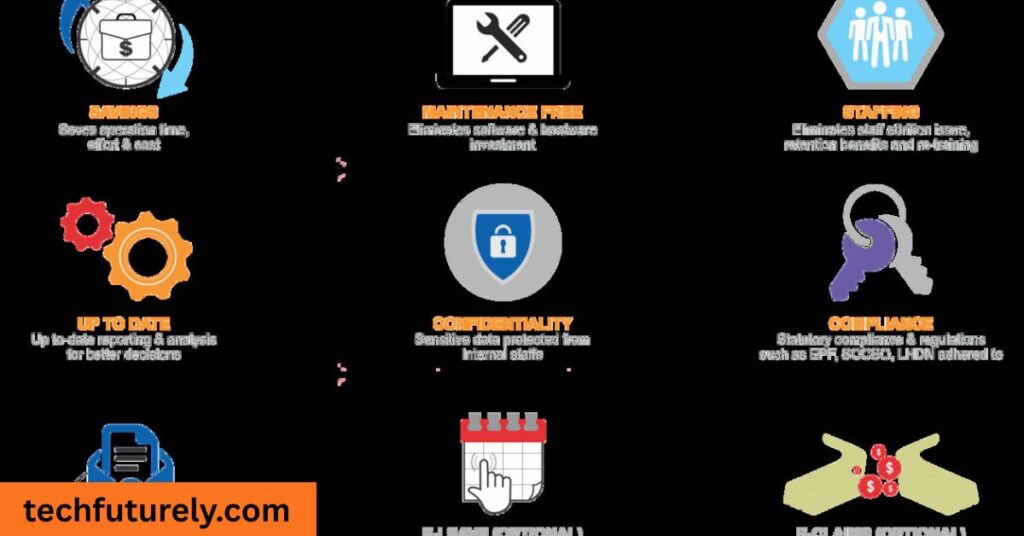
Save Time
Payroll automation liberates hours each week. QuickBooks notes that its integrated payroll and time tracking “reduce inefficiencies and save nearly 4 hours a week”. Square similarly emphasizes that a good payroll service “will save you time … by helping you manage payroll payments and taxes”. Those reclaimed hours mean you spend less time on data entry and chasing approvals and more time growing your business.
Improve Accuracy
Manual payroll is error-prone, but software handles the math for you. QuickBooks, for instance, offers a $25,000 tax penalty guarantee if there’s a mistake and promises “100% accurate tax calculations”. This high accuracy means deductions and withholdings are correct, reducing IRS headaches and employee payroll complaints. Using software virtually eliminates simple calculation errors.
Ensure Compliance
Payroll software automatically files your tax forms on time. Square Payroll “takes care of your federal and state tax filings and payments at no additional charge.” This includes W-2s, 1099s, and quarterly returns. Justworks handles all filings (W-2, 1099, Form 940/941, etc.) for you “at no added cost,” greatly reducing compliance stress. In practice, this means you don’t have to manually submit tax paperwork – the software does it for you. That peace of mind is invaluable.
Employee Self-Service
Modern systems let employees handle their own info. Most payroll tools include a portal or app so staff can view paystubs, update address or bank details, and access tax forms. For example, Patriot Software offers a free online employee portal for paystubs and history. QuickBooks Payroll has a mobile Workforce app where team members can retrieve W-2s and pay info. This reduces the questions you get and empowers employees to manage simple tasks themselves.
Better Data & Insights
Consolidated data is a big bonus. Payroll software typically integrates with accounting and HR, giving you unified financials. QuickBooks points out that payroll, time tracking, and accounting data “seamlessly connect,” letting you manage everything from one place. This makes it easy to run reports on total payroll costs, tax liability, or overtime hours. Having instant access to these insights helps you budget, forecast, and make informed business decisions.
Scalable Growth
Payroll software grows with you. If you hire more employees or expand across states, most systems adapt easily. For example, ADP offers upgradeable plans for growing companies. Small packages can often be scaled up without losing historical data. This scalability means you won’t outgrow your payroll solution quickly. As Forbes notes, many businesses end up in a long-term relationship with their payroll provider since it can handle expanding needs.
Key Features to Look For
Automated Tax Filing
This is a hallmark of quality payroll software. The system should automatically calculate and file all required tax forms for you (federal, state, and local). As mentioned, Square Payroll automatically handles filings of W-2s, 1099s, and employment tax returns at no extra charge. QuickBooks similarly guarantees accurate tax calculations and will e-file your payroll taxes. Automated filings mean you don’t have to prepare or mail those forms yourself, reducing mistakes and late payments.
Direct Deposit and Paychecks
Most systems offer direct deposit so employees get paid via bank transfer. For instance, QuickBooks provides “same-day direct deposit” capability, giving you flexibility to pay employees quickly. If some staff prefer checks, the software should allow printing paychecks as well. The convenience of clicking a button to pay everyone (instead of writing checks or making multiple transfers manually) is a huge time-saver.
Employee Self-Service Portals
A good payroll system includes an online portal or app for your team. Through it, employees can sign up for direct deposit, enter tax withholding preferences, and download pay stubs and year-end forms. This cuts down on the admin work for you. For example, Patriot’s payroll software boasts a “Free Employee Portal”. Even if a system does not charge extra for it, having this feature boosts efficiency and employee satisfaction.
Time Tracking Integration
If you have hourly employees, look for built-in time tracking or integration with time-clock tools. This allows hours to flow directly into the payroll engine. Some providers, like Gusto and Square, either include time sheets or sync with solutions (e.g. Square’s timecards). When time tracking is integrated, you avoid manual hour transfers and overtime miscalculations.
Reporting & Integrations
The ability to run detailed payroll reports (wages, taxes, deductions, contributions) is important. Good software also integrates with accounting, HR, and benefits systems. For instance, many businesses use QuickBooks Payroll so payroll data automatically posts to QuickBooks accounting. This streamlines bookkeeping. Before choosing software, check that it can export reports you need or connect with your other business tools.
Top Small-Business Payroll Platforms
Gusto – Integrated HR + Payroll
Gusto is a favorite for combining payroll with HR. It “combines payroll with integrated HR tools,” giving you an all-in-one system for pay, hiring, benefits, and more. Starter plans run about $49/month + $6 per person, which includes tax filing, W-2s, and basic HR support. The interface is intuitive, and customer support is highly rated by users. If you want HR features like benefits enrollment and PTO tracking bundled with payroll, Gusto shines.
QuickBooks Payroll – Accounting-Friendly
QuickBooks Online Payroll is ideal if you already use QuickBooks for accounting. It fully syncs payroll expenses with your books. QuickBooks highlights features like “peace of mind” protections: it will pay up to $25,000 if you incur a payroll tax penalty. It also offers 24/7 support and an optional payroll setup service to get you running quickly. With QuickBooks, payroll runs can be set to “automatically” recur each period, letting you run payroll in minutes once it’s configured. This solution works best for small businesses in the QuickBooks ecosystem that want seamless bookkeeping.
Justworks (PEO) – All-in-One Support
Justworks acts as a PEO, essentially co-employing your team. It offers full-service payroll, benefits, and HR compliance. Forbes notes that Justworks provides “full-service PEO plans that bundle payroll, benefits and HR support”. Pricing is around $50 base + $8 per person. In practice, this means Justworks pays your employees for you and handles all tax filings and 1099s. Many small business owners use it to offload administrative burden. One user testimonial says Justworks made payroll “seamless” and had “extraordinarily helpful” support. If you want hands-off payroll and reliable compliance, a PEO like Justworks is worth considering.
Square Payroll – Retail & Contractors
Square Payroll is tailored for retailers, restaurants, and contractors. Its pricing is straightforward: $35/month base + $6 per employee/contractor, with no hidden fees or long-term contract. It supports both W-2 and 1099 payments. Notably, Square automatically handles all federal and state tax filings at no extra cost. If you already use Square POS or timecards, payroll syncs right in – including tips and commission hours. Square’s solution is simple and cost-effective, especially for businesses that already use Square’s other products.
Other Popular Solutions
There are many other payroll systems to explore. ADP Run and Paychex Flex are long-established, offering comprehensive features and scalability (good for companies planning to grow, though they tend to be pricier). OnPay, Patriot Software, SurePayroll, and Wave Payroll serve small businesses on tighter budgets, often with simple pricing and a focus on ease-of-use. Forbes even lists TimeTrex (an open-source system) among the top picks for small business payroll. When choosing, look at factors like customer service, ease of setup, and whether the provider offers payroll and tax filing in all the states where you have employees.
Free and Budget-Friendly Payroll Tools

Free Software for Tiny Teams
If cost is a major concern, a few free tools exist for very small teams. Payroll4Free.com is truly free for up to 10 employees. It calculates salaries, withholdings, and can produce W-2s/1099s (it does have ads on the site). TaxBandits Free Payroll allows unlimited payroll and employees at no cost, including paystubs and tax calculations (direct deposit coming soon). These free tools can work in a pinch, but they lack dedicated support and often don’t automate filings – you’ll still need to mail tax forms manually.
Open-Source and DIY Options
Open-source or DIY solutions are another route. TimeTrex Community Edition is free software (cloud or self-hosted) that includes payroll processing and workforce management. However, it won’t e-file taxes for you – it generates the numbers for you to file on your own. Some small businesses use spreadsheet templates or bank payroll services as a DIY approach. Just be cautious: you’ll have to manage taxes yourself, so the risk of errors is higher.
Affordable Paid Plans
Between free tools and top-tier platforms are many low-cost plans. Square, as mentioned, is very affordable ($35 + $6). OnPay is another budget-friendly full-service provider with no base fee for direct deposits. Patriot Payroll’s Basic plan starts around $25 plus $2/employee, including tax filings. While these plans cost a bit monthly, they include support and compliance features that free options do not. In many cases, paying a few dollars per month is worth the headache saved.
How to Choose & Implement Payroll Software
Assess Your Needs
Start by listing what you require. How many workers do you have? Contractors or only employees? Do you need benefits administration or multiple-state payroll? If you operate in multiple states, ensure the software handles all relevant tax jurisdictions. If you have 1099 contractors, confirm 1099 e-filing is supported. Knowing your needs helps you focus on tools built for businesses like yours.
Compare Costs and Plans
Once you know your needs, compare pricing. Look at the full cost: base fee plus per-employee rates. Don’t forget potential extra charges (like year-end form fees or charges for additional state filings). Some providers advertise “no hidden fees”, which is helpful. For example, Square’s flat pricing and no-contract promise means you won’t see surprise costs. Also, note any trial offers or discounts for new customers.
Try It Before Committing
Most payroll companies offer a free trial or demo. Take advantage of this. Load sample data (or your real data if safe) and run a mock payroll. Check that the interface makes sense to you and that reports look right. Verify integrations too – if you use QuickBooks or Xero for accounting, try syncing payroll data. During the trial, read customer reviews and forums (like Reddit’s small-business communities) to learn about others’ experiences with the software.
Plan the Switch Carefully
If you decide to switch mid-year, plan to transfer existing data. Save copies of current payroll records (W-4s, prior payroll runs). Many providers assist with data migration. For example, QuickBooks Payroll says it will help transfer your existing payroll info into their system. Schedule the switch so that your new system is ready at least one pay period before you have to go live. This avoids scrambling at payday.
Train Your Team
Finally, make sure whoever will run payroll knows the new system. Many platforms provide help centers, tutorials, and even customer support for setup. Patriot Software, for instance, offers free payroll setup assistance to enter your employee data. Spend a couple hours clicking through a full pay cycle in the new software before cutting a live check. Once you’re comfortable, payroll processing should become quick and reliable.
Conclusion
Adopting payroll software is an investment that pays off through saved time and reduced risk of errors. The right system automates tax filings, simplifies payments, and provides valuable data – transforming payroll from a headache into a breeze. Whether you choose a platform like Gusto, QuickBooks Online Payroll, Square Payroll, or another solution, make sure it fits your business size and needs. Always test a product before fully committing. A smooth payroll system means your team always gets paid on time and lets you focus on what really matters: growing your business.
