Picture this you’re taking a short break from work, just two minutes to reset your brain. You open your browser, type “Block Breaker” into Google, and suddenly your screen transforms into a mini arcade. No downloads, no ads, no sign-ins — just pure, instant fun. That’s the charm of Google Block Breaker, a hidden Easter egg game tucked right into Google Search.
This clever browser-based paddle-and-ball game revives the spirit of Atari’s classic Breakout, complete with colorful bricks, smooth HTML5 graphics, and nostalgic sound effects. It’s simple, fast, and oddly satisfying perfect for quick bursts of entertainment between meetings or whenever you need a mental refresh.
Here’s a quick look at the essentials:
| Feature | Details |
|---|---|
| Platform | Web (Google Search on desktop & mobile) |
| Release | January 2025 – Google’s newest Easter egg |
| Genre | Paddle-&-ball arcade game inspired by Breakout |
| Controls | Arrow keys or mouse on desktop; swipe or tap on mobile |
| Lives | 3 per game (Heart icons grant extra lives) |
| Power-Ups | Multi-ball, paddle extension, laser shots, extra life, and more |
| Mobile App | Available through the Google App on Android and iOS |
| Cost | Completely free – no downloads, no logins, no ads |
What Is Google Block Breaker?
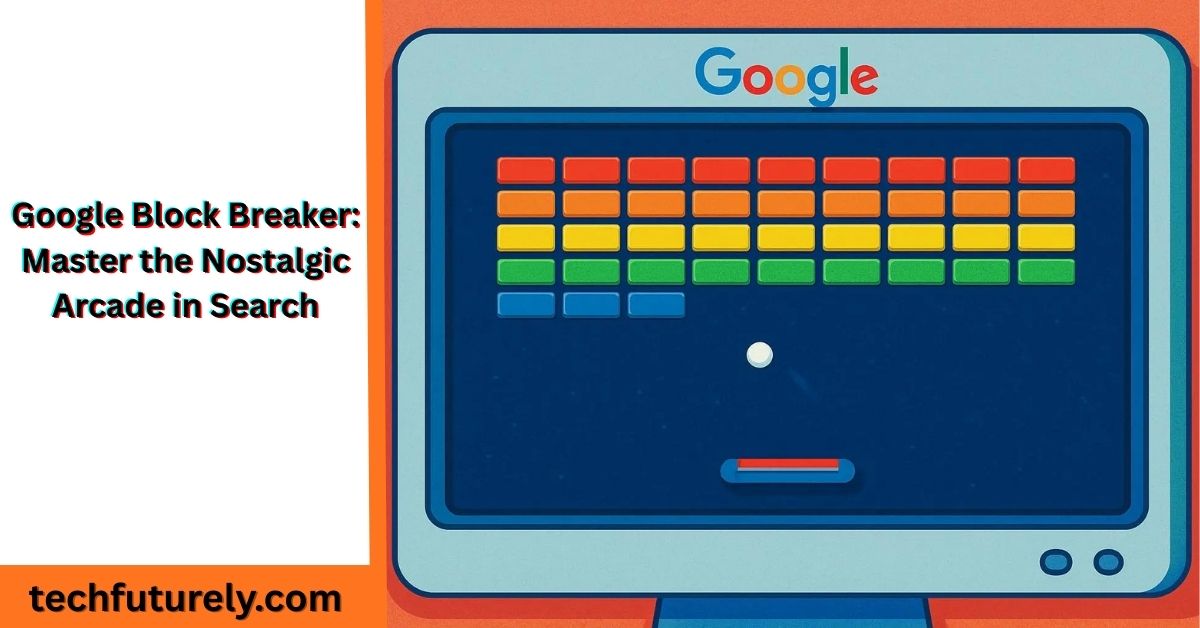
Google Block Breaker is one of Google’s newest search Easter eggs – hidden interactive surprises embedded right into search results. It’s essentially a browser-based remake of the 1976 Atari arcade game Breakout. Type “Block Breaker” into Google and you’ll see a large, colorful tile with the Google logo and a Play button. Click it, and the screen transforms into an arcade: a paddle floats at the bottom, a ball sits on it, and rows of multicolored bricks fill the top. The rules are delightfully simple: control the paddle, bounce the ball, and shatter every brick.
This isn’t a one-off Doodle – unlike seasonal Google Doodles, Block Breaker is always available in Search (unless Google retires it). In fact, Google has a long tradition of adding retro games to Search and Doodles: classics like Google Pac-Man, Snake, and even an Atari Breakout Easter egg (in Google Images) have delighted users. Block Breaker is a modern twist in that lineage: it runs on any desktop or mobile browser (HTML5/WebGL), and instantly pops up with no setup. Google is essentially turning its search page into a mini arcade, making gaming “as easy as looking up the weather.”
If you search “Block Breaker” and nothing appears, it might be due to your region or browser. In some cases, switching your Google domain (like to google.com) or language fixes it. The game is also accessible on Android and iOS via the Google app. For true search nostalgics, the mirror site elgooG (a Google easter egg archive) even hosts it if you need a backup.
Gameplay Features
Google Block Breaker is bright, colorful, and surprisingly addictive. The bricks pop in Google’s signature shades of blue, red, yellow, and green, while smooth animations and crisp sound effects recreate that nostalgic arcade feel. Every ping, crash, and chime adds to the charm — and yes, you can mute them anytime using the sound icon. The minimalist layout keeps the focus on the fun: a score counter up top, your paddle below, and nothing else to clutter the screen.
As one reviewer perfectly put it, Google’s design feels “complete with old-fashioned sound effects and blocky graphics that any retro-games lover will enjoy.”
Realistic Physics and Smart Brick Design
The physics in Google Block Breaker are finely tuned, making every bounce feel fair and consistent. Hit the ball dead-center on the paddle, and it flies straight upward. Clip it on the edge, and you’ll launch it diagonally toward those hard-to-reach corners.
Learning to control these angles is essential if you want to survive later levels. Most bricks shatter with a single hit, but tougher ones demand two or more strikes. Then come the gray “indestructible” blocks — they never break. Instead, they turn into clever obstacles that force you to rethink your angles and plan creative shots.
Exciting Power-Ups and Boosts
Power-ups give Google Block Breaker its unique flavor. As you destroy bricks, colorful icons drop toward your paddle — catch them to activate temporary abilities.
Here are some of the most useful power-ups you’ll encounter:
- Multi-Ball: Splits your ball into three, creating wild chaos that clears bricks fast.
- Paddle Extension: Doubles paddle width, making catches easier but slightly altering shot angles.
- Laser Blasters: Turn your paddle into a mini cannon that shoots upward, blasting bricks directly.
- TNT Bomb: Triggers an explosion that wipes out nearby bricks in one blast.
- Heart Icon: Grants an extra life, extending your run for higher scores.
Each game begins with three lives, but collecting hearts can keep you in play longer. Remember — extra lives don’t add points, but they give you more time to build massive combos.
History in Brief
The concept behind Block Breaker goes back nearly 50 years. In 1976, Atari released the original Breakout arcade game (arcade cabinet, requiring coins per play). Intriguingly, Apple’s co-founders were involved: Atari tasked Steve Jobs (non-engineer) and Steve Wozniak (Apple co-founder) with building a minimal-chip prototype. Wozniak succeeded with an ultra-efficient design. That hardware ingenuity later influenced Apple’s future – as Wozniak himself noted, many Apple II computer features (color graphics circuitry, game paddle support, sound) “went in because I had designed Breakout”. In short, every time you fire up Block Breaker, you’re touching a piece of computing history.
Over the decades, the block-breaker genre sprouted countless clones and evolutions. In 1986 Taito’s Arkanoid added power-ups and new level designs to the formula, inspiring thousands more imitators. But Block Breaker’s charm isn’t in nostalgia alone. Google’s new version strips back the features common in today’s mobile games: no ads, no microtransactions, no downloads. It’s basically “Breakout, just as Google would do it”: polished, colorful, and free.
In fact, Google quietly launched Block Breaker as a search “lab” or Easter egg on January 23, 2025. Like the 2013 Atari Breakout Easter egg (which was an image-search gimmick), Block Breaker debuted without fanfare. Technology bloggers immediately noticed and spread the word. Now it sits among Google’s official “Games & Toys” menu – alongside classics like Snake and PAC-MAN – ready whenever someone needs a nostalgic hit.
How to Play: Quick Steps
Getting into Block Breaker couldn’t be simpler. Just follow these steps:
- Open Google Search: On your computer or smartphone, go to Google (or use the Google app on Android/iOS). No special site or app download needed.
- Search for “Block Breaker”: Type Block Breaker into the search box and press Enter.
- Click “Play”: A colorful result card labeled “Google Block Breaker – Break the Blocks!” will appear near the top. Click or tap the Play button on that card.
- Game launches instantly: The game loads in an overlay. You’ll see the paddle at the bottom, the ball resting on it, and colorful bricks above.
- Use your controls: On desktop, hit the spacebar or click anywhere to launch the ball. Then move the paddle with left/right arrow keys or by dragging your mouse. On mobile, swipe or tap to slide the paddle and tap the screen to launch the ball.
If the game doesn’t appear, try clearing your cache, switching to Google.com, or searching in a different language (some users find “Rompebloques” works in Spanish, for example). If all else fails, the elgooG mirror site also offers a playable version of the Block Breaker Easter egg.
Once you hit Play, the action starts immediately – no annoying splash screens or countdowns. The ball flies off, and the bricks are ready to break. Have fun!
Controls & Settings
The controls in Google Block Breaker are intuitive by design. On a computer, the left and right arrow keys (or A/D keys) move the paddle precisely. You can also use the mouse: moving it horizontally just drags the paddle along. When you want to launch the ball, hit the spacebar or click the mouse (either works). On a phone or tablet, simply swipe left or right to slide the paddle, and tap the screen to launch the ball for each new round. The game’s responsive HTML5 engine makes touch gestures feel smooth and lag-free.
A few extra features are handy:
- Mute/Sound: There’s a small speaker icon to toggle sound. By default the game is muted, so if you want those retro bleeps and boops, click the icon.
- Auto-pause: If you switch browser tabs or navigate away, the game auto-pauses, letting you handle that urgent email without losing progress. Come back and it picks up right where you left off.
- Display adjustments: For clarity, you can zoom your browser or turn on high-contrast mode in system settings. The game’s clean design means even on a small screen, the colored bricks stand out clearly.
Core Mechanics, Levels & Power-Ups
The heart of the game is classic Breakout physics. Each stage presents an arrangement of blocks; as soon as the ball drops below the paddle, you lose a life. You start with three lives, so missing three times ends your run. Keep the ball in play by skillfully moving the paddle to catch it each bounce.
After you clear all bricks in the top area, new rows appear with a fresh pattern. In the Google version, levels flow one after the other automatically (there’s no menu level select). The game’s difficulty increases subtly: bricks may need more hits, and the ball’s speed ups up gradually. (Notably, the speed resets at each new stage, giving a breather). Clearing a level without losing a life even grants a “Perfect” bonus score (Picrew reports a +500 bonus).
Power-ups are the real twist. Certain bricks contain bonus items that drop when hit. Catching a power-up icon bestows a temporary ability. Here’s the rundown of what you might see:
- Multi-Ball: Splits your ball into 3 (or more). Suddenly you have multiple balls bouncing everywhere. It’s great for clearing bricks fast, but equally great at making the screen chaos. (When multi-ball is active, it often becomes a frantic game of keeping any one ball in play.)
- Paddle Extend: Doubles the paddle’s width. Catch is a piece of cake, but your shots are less angled. Still useful on tight runs.
- Laser: Equips the paddle with laser cannons (Space-Invaders style). Pressing fire key (or tapping) shoots straight up to blast bricks. Handy for stubborn columns.
- TNT / Bomb: Upon catching it, your paddle blazes a small explosion at the ball’s location, destroying nearby bricks (helpful on densely packed levels).
- Speed Up/Down: Some items simply speed the ball up or slow it down. (Slowing is often shown as a bubble; it gives you more time to react.)
- Extra Life (Heart): The heart icon adds one to your life count. The screen only shows three hearts by default, so grabbing extras is vital for the later, tougher stages.
Power-ups fall like candy when their bricks break. You can only collect them by moving the paddle under them before they vanish. Sometimes it’s worth chasing a power-up; other times it’s safer to ignore it and keep your focus on the ball. Strategic timing can make or break your high-score run.
Google’s version has over 10 uniquely designed levels (Park Magazine claims over 100, too) with varied brick layouts. Early stages have simple geometric patterns; later ones may mix blocks into maze-like formations to test your angles. Unfortunately, there’s no save: if you quit or reload, you restart at level one. Google seems to intend this as a true “arcade” experience – each playthrough is a fresh session.
Scoring & Progression
Every brick you hit adds points to your score. Standard blocks give a base value (e.g. 10 points each in Park Magazine’s testing), but the fun comes from combos. If one ball breaks several bricks in quick succession or multi-ball is in play, a score multiplier kicks in. Savvy players aim to juggle long combos for mega points.
Higher-value bricks (worth more points) are often tucked behind indestructible blocks or in corners. This clever placement forces you to learn precise shots rather than just flail wildly. And yes, clearing a level quickly without dying scores extra (the “Perfect” 500 bonus) as mentioned above.
Ultimately, longer runs yield more points. Each run starts with 3 lives; losing a life subtracts one. Extra hearts keep you alive and can be the difference between a 5,000-point score and a 20,000-point score. In fact, Google’s own help article notes that many highest scores come from long, careful runs with multiple extra lives. The game has no official leaderboard, so players share their personal bests via screenshots or social. (Community videos show players reaching into the tens of thousands of points, but there’s no single world record – scores vary by skill and luck.)
When all lives are gone, you see a final Game Over screen with your score and a share button. This is your chance to show off: the share icon lets you post your achievement on social media or copy a link. Whether it’s “Look what I did!” on Twitter or a brag to friends in chat, this simple sharing feature adds a friendly competitive spark to your coffee break.
Winning Strategies
Winning at Google Block Breaker is a lot like solving a fun puzzle under pressure. Here are some pro tips to maximize your score:
Master angle control
The ball’s rebound depends on where it hits the paddle. Hitting dead-center sends it straight up; hitting the very edge shoots it off at a sharp angle. Learning to hit the ball just off-center (near the paddle’s corners) will let you target hard-to-reach bricks in the back. In practice, try to become the ball’s conductor – anticipate its path and move the paddle slightly before contact.
Exploit gaps
Once you punch a hole in the wall of bricks, it becomes a “highway” for the ball to bounce around behind the wall. A well-placed shot through a gap can clear an entire section faster than bouncing around the front. Shoot into side corridors or the top corners whenever you see an opening.
Chase key power-ups
Not all power-ups are created equal. If you’re juggling multiple balls, catching the extended paddle (Wide Paddle) can bail you out. If the ball’s about to fall, grabbing a Speed-Down (bubble) slows everything, giving you time to recover. Sometimes it’s worth letting the ball drop if a heart or multi-ball is within reach – one extra life or three balls can multiply your point tempo. Always weigh the risk: don’t go out of your way if you only have one life left.
Stay in the “focus zone”
In frantic moments (especially multi-ball), don’t let your eyes dart all over the screen. Keep your attention low, near the paddle. Most balls will eventually return there. Peripheral vision will catch the rest. Smooth, small paddle movements work better than aggressive jumping. As one strategy article notes, “small, controlled movements beat frantic paddle dancing every time”.
Calm under pressure
As the game speeds up, panic leads to mistakes. Take a slow breath and trust your instinct. Remember how you saved lost balls in earlier levels – reuse that strategy. This “paddle zen” — staying composed and deliberate — is what top players develop over time.
Replay tough levels
If a particular stage keeps beating you, memorize it. Since the layout is fixed, you can learn exactly where gaps and power-ups fall. Some modern Block Breaker fans even let a level repeat to perfect their play. (Pro tip: Google’s interface doesn’t let you “skip ahead” outside of clearing levels, but you naturally return to earlier stages each time you refresh.)
Google Block Breaker vs. Classic Breakout
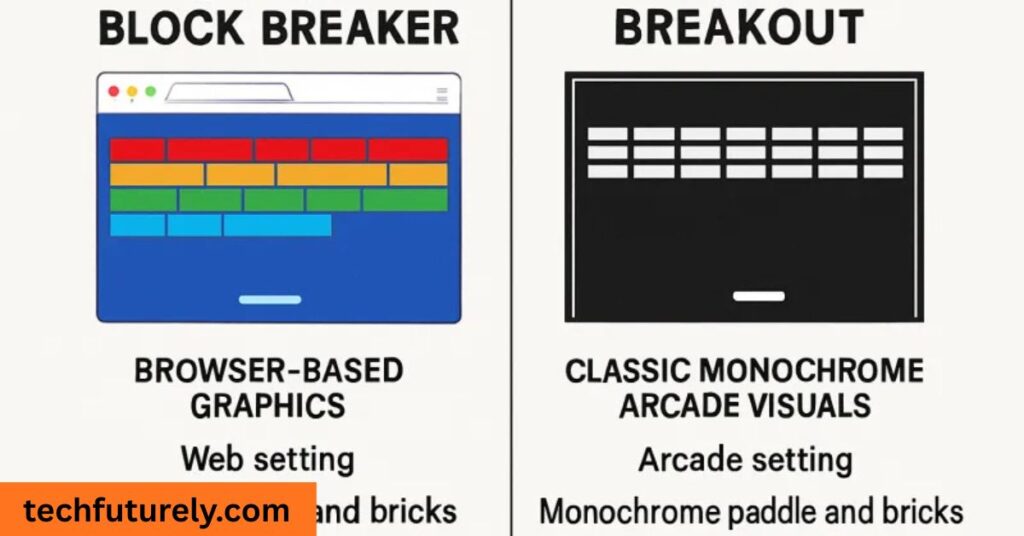
| Feature | Google Block Breaker | 1976 Atari Breakout |
|---|---|---|
| Platform | Browser (via Google Search) | Arcade cabinet (Pong-style dial) |
| Release | 2025 (hidden Search game) | 1976 (arcade) |
| Controls | Keyboard/mouse (or touch) | Rotary knob for paddle (arcade) |
| Graphics | Modern, colorful bricks (GPU-powered) | Simple monochrome with color overlay |
| Power-ups | Many (Multi-Ball, lasers, paddles, extra life) | None (just ball and bricks) |
| Levels | Many unique stages (levels) | 2 fixed screens per game |
| Save/Progress | No (each session starts fresh) | No (each coin = one play) |
| Mobile-friendly | Yes (responsive on Android/iOS) | No (original arcade only) |
| Cost | Free to play (Google-sponsored) | Required quarters (pay-to-play) |
Why Google Block Breaker Remains Addictive
There’s a reason the block-breaking genre has endured for decades. It hits a satisfying psychological sweet spot: every successful bounce delivers instant gratification (a brick vanishes with a ping and your score jumps), while the overall challenge is easy to grasp. You don’t need to remember complex controls or storylines – anyone can jump in and start playing within seconds.
Short, snackable gameplay is part of the charm. Unlike sprawling modern games, a quick 5-minute session of Block Breaker feels complete. It’s perfect for busting stress between tasks: scientists note that the focus required (tracking the ball and moving the paddle) can act as a mental reset. In fact, short arcade bursts like this are known to improve hand-eye coordination and reaction time. Many educators and gamers alike recognize that games like Block Breaker offer genuine cognitive benefits – they train your brain to anticipate movement and make rapid decisions.
Another draw is nostalgia and simplicity. For gamers who grew up in arcades, the sounds and sight of breaking bricks trigger fond memories. For younger players, it’s a clean, understandable pastime (no confusing menus or social pressure). It’s multi-generational: grandparents and kids can even compete together! The stress relief aspect is real, too. With each level you clear, tiny bursts of dopamine reinforce your success. After a tense day of work, smashing a wall of blocks for a few minutes can actually help reset your mindset – one writer reported, “stressed from meetings? Two minutes of paddle action can reset your entire mindset”.
Conclusion
There’s a little magic in watching a round, yellow ball ping between your paddle and the bricks. Google Block Breaker captures that arcade joy while fitting perfectly into your day. No complex setup, no pressure – just a neat puzzle to solve whenever you have a moment. Whether you’re revisiting childhood arcades or discovering paddle games for the first time, this little Easter egg proves that pure, uncomplicated fun still exists online.
So next time you need a quick break, remember: your perfect escape is just a search away. Type “Block Breaker” into Google and watch the bricks fly. The best entertainment often comes in the smallest packages – and this one fits right in your browser. Happy breaking!
Frequently Asked Questions
Is Google Block Breaker free and cross-platform?
Absolutely. The game is 100% free – no hidden fees or purchases. It runs entirely in your browser or the Google app, so it works on Windows, Mac, ChromeOS, Android, iOS, etc.. No download or sign-in is required. Just open Google Search and play.
Can I save my progress or replay levels?
No. Each session is standalone. Google intentionally does not save progress between visits. If you close the browser or refresh, you start from the beginning next time. This design keeps each playthrough feeling like a complete arcade run. (Within one session, when you clear a level you simply advance to the next. There is no separate level-selection screen outside your current run.)
How do I share scores or compete with friends?
After you clear a level (or lose all lives), you’ll see your final score on the Game Over screen. A share button is available there. Tap it to post your score on social media or copy a link. Google Block Breaker doesn’t have an official leaderboard, but sharing your score lets friends see and try to top it. Many groups do informal tournaments by posting screenshots in chat. It’s simple: when you see “Great job – share your score!”, let your colleagues know who gets to brag first.
